





Manage Service WHMCS Billing Web Hosting
WHMCS is a complete billing and automation platform designed to automate all aspects of your web hosting business. Integrated with all leading control panels, domain registrars, payment gateways, and other digital services, WHMCS enables businesses to automate the purchasing and delivery of hundreds of products and services, helping hosters grow and operate more efficiently.
Discover the services How to order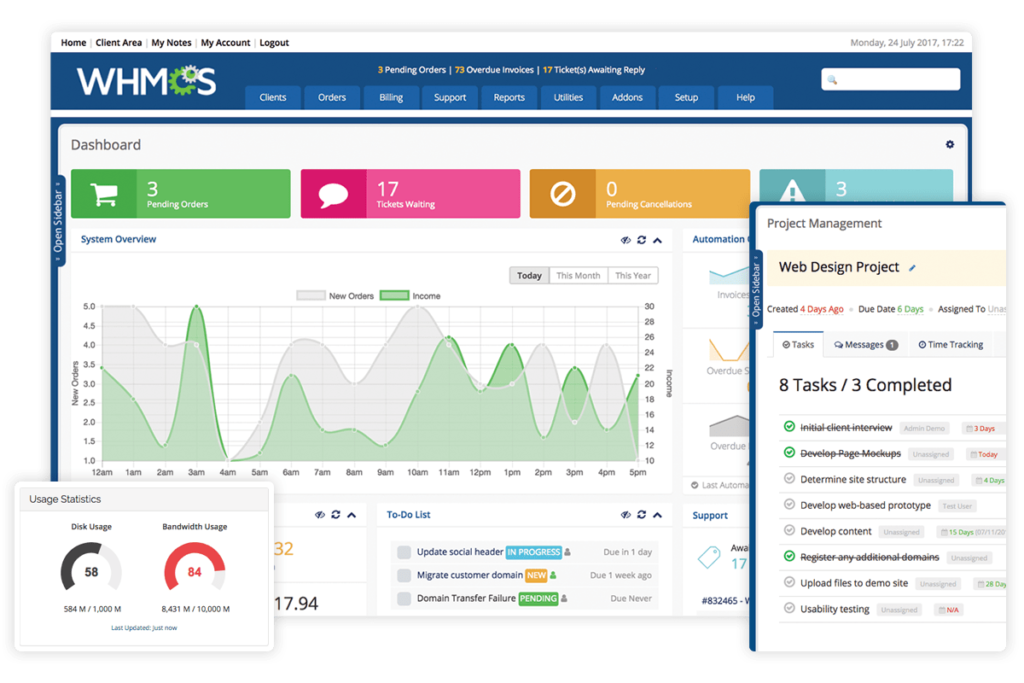
Reasons Why You Should Use WHMCS
The best Billing Software to manage your web hosting business
Saving Time
WHMCS handles the automation so you don't have to, saving you valuable time and money.
Automatic Billing
Sending invoices, collecting payments, taxes, reminders and more is made easier with WHMCS.
Web & Domain
Integrated with all major web hosting control panels and domain registrars for automated registration and management.
Support
Support that provides you with a complete client portal with tickets, knowledgebase, and more.
Developer Friendly
The modular, extensible, and well-documented API and ORM all make developing and customizing WHMCS easy.
Safe and Scalable
WHMCS is a secure, reliable, and scalable solution designed for businesses of all sizes and backed by an outstanding support team.


Level Layanan
Pertama, tentukan level layanan Manage Server yang sesuai dengan kebutuhan Anda. Kami menawarkan dua level layanan yang dapat disesuaikan dengan tingkat kebutuhan. Pilih level yang paling sesuai dengan kebutuhan dan rencana Anda.
Chat WhatsApp / Ticket
Setelah Anda memilih level layanan yang diinginkan, hubungi tim dukungan Focusnic melalui chat WhatsApp atau melalui Ticket bahwa Anda ingin membeli layanan Manage Server. Tim dukungan kami akan memberikan petunjuk lebih lanjut dan meminta informasi yang diperlukan terkait pesanan Anda.
Final
Selanjutnya, System Administrator Focusnic akan memproses permintaan Anda dan melakukan aktivasi layanan Manage Server sesuai dengan level yang Anda pilih. Kami akan melakukan brief singkat untuk mendengarkan kebutuhan Anda dalam menggunakan layanan yang akan dikelola oleh tim kami.
Manage Service WHMCS
Enjoy the benefits of using WHMCS with full support from our team
|
Scope of Work The following is the scope of WHMCS server installation and management services that we will perform. Please note that each installation requires a license, and we can also perform additional installations upon request. |
|||||
|---|---|---|---|---|---|
| Installation & Configuration | |||||
| Deployment | Panel/Non-Panel | ||||
| Automation | |||||
| Security | |||||
| Payment Gateway | Duitku, Midtrans, Xendit, Tripay, Stripe, Payssion | ||||
| Setup Department | |||||
| Setup Email | |||||
| Setup Products | |||||
| Control Panel Integrations | cPanel, Plesk, DirectAdmin, Virtualizor, SolusVM 2, Virtfusion | ||||
| Custom Integrations | |||||
| Domain Reseller | SRS-X, LIQU.ID, WEBNIC | ||||
| SSL Certificate Reseller | |||||
| Email Deliverability | SPF, DKIM, DMARC, rDNS/PTR, Relay Email | ||||
| Performance Tuning | |||||
| Monitoring | Uptime & Incident Report | ||||
| Custom Request | |||||
| Delivery | After the order is received or within a maximum of 1x24 hours | ||||

WHMCS Integration Options Apps and Extensions
WHMCS has over 200 integrations and many more available in the Marketplace.










Reasons to choose WHMCS as the main billing for running a Web Hosting business
Web Hosting
Cloud VPS
Domain
Payment Gateway
-
Web hosting control panel
-
Supported local, international, and even cryptocurrencies!
-
Sell TLD or GTLD domains
-
Automatic payments and billing
-
Ticket, email, and live chat based support
-
Hundreds of other exciting features and integrations
Frequently Asked Questions and Technical Questions
See frequently asked questions